Apr 7, 2026
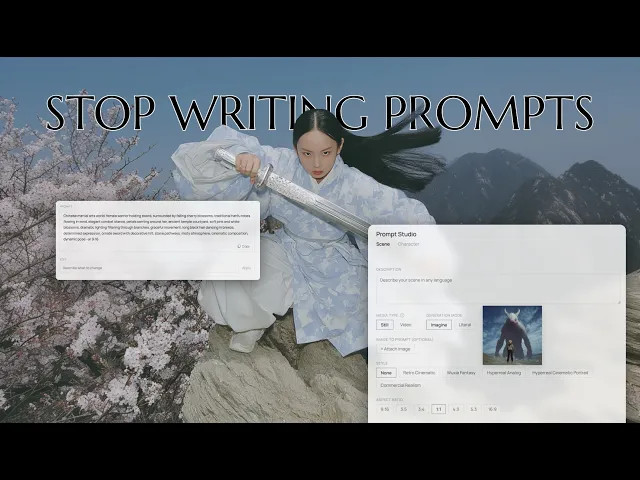
I built and released Prompt Studio, a tool that captures the workflow and formula behind how I create my results. It is designed so that anyone, regardless of language, can produce a consistent style and turn ideas into prompts without spending time figuring out how to phrase them.
It started as a small experiment. I was exploring vibe coding with Claude and tried automating parts of my own workflow. At some point, it shifted into something I wanted to fully build and deploy, so I spent the time to make it usable beyond just myself.
Still Choosing First Frames Over Automation
AI video tools are evolving quickly. Systems like Kling Omni now allow you to pre-cast characters and place them into scenes, and the quality continues to improve.
I still prefer the first frame method. As scenes become more complex, or when the desired style is more defined, maintaining consistency becomes harder. Character casting works well for simpler setups, but when I need precise composition or a specific mood, building the first frame myself and adding motion gives me more reliable control.
My workflow is simple. I create the first frame in Midjourney and bring it into Kling to generate motion. But the process becomes heavier at the prompting stage. Turning keywords into structured sentences takes time, and repeatedly adding parameters like --ar 9:16 becomes a tedious, repetitive task.
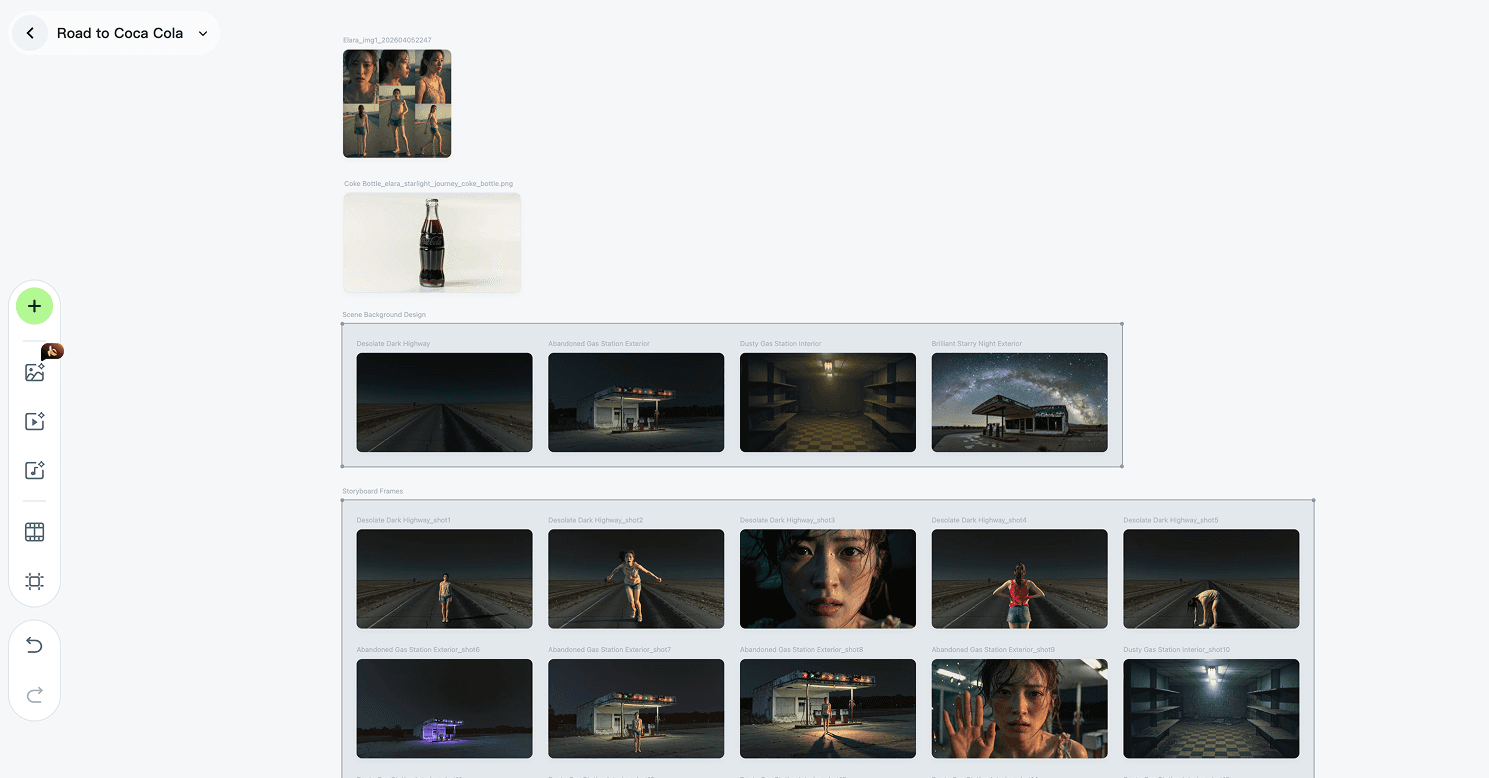
With Kling Canvas, ideation, still image creation, and video production can all be handled within a single workflow. It’s useful in that a project can generate and manage all necessary elements—such as backgrounds and props—aligned with the storyline in one place.
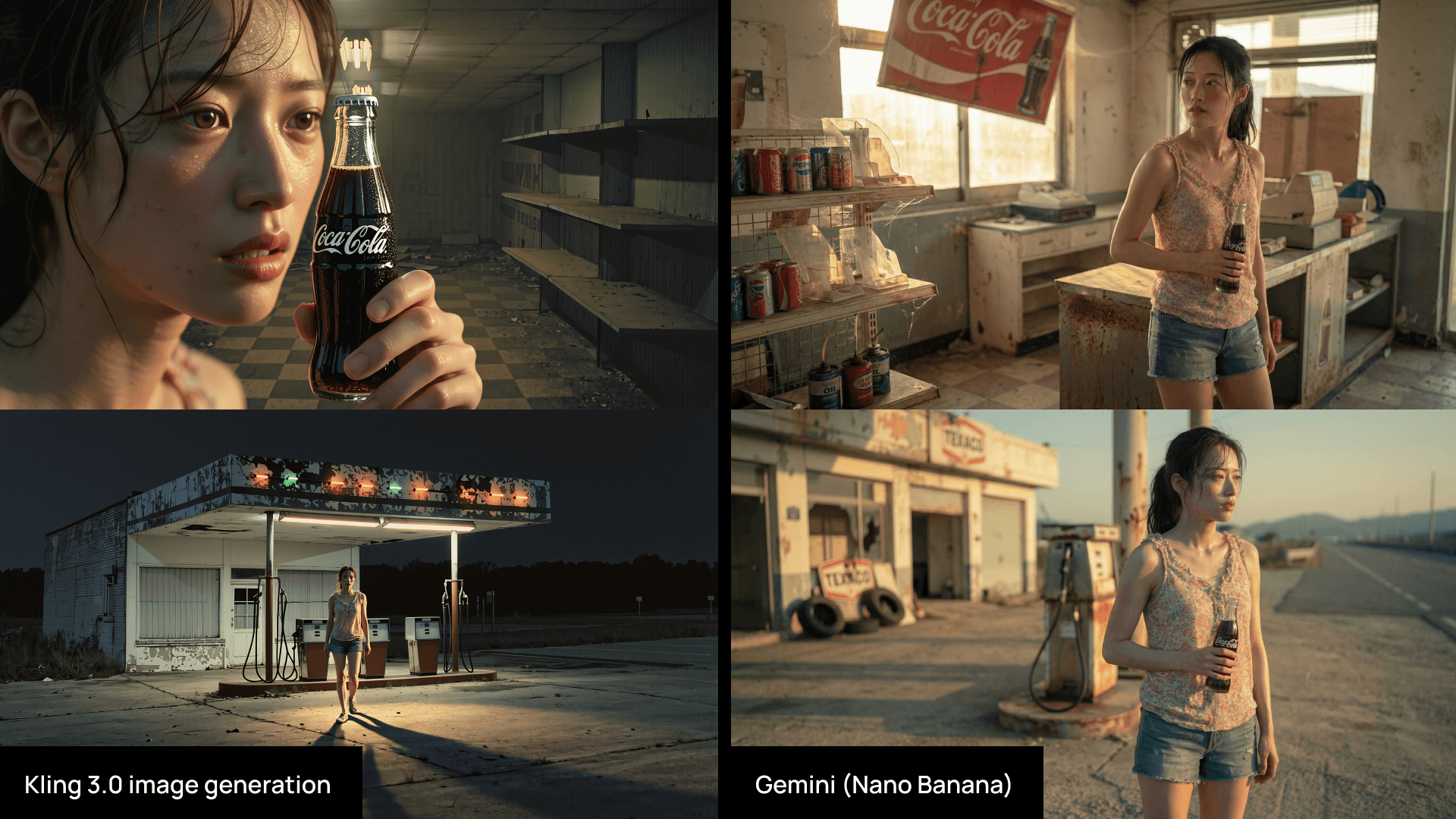
However, while it allows for producing a large volume of assets at once, the quality of individual outputs tends to be less refined.
Holding Character Consistency in First Frame Workflows
Character consistency is the main concern with this approach. I use a few methods depending on the scene.
One option is using Gemini (Nano Banana). I describe the scene directly, such as “place these two characters in this scene” or “generate four still frames of this man training,” and use those outputs as controlled starting points.
Another option is using Kling Omni 3.0 to insert or replace elements inside a scene. This approach is meant to maintain continuity.
The issue was that results from Omni were not stable. Character proportions shifted, details broke across frames, and overall visual quality was hard to maintain. This became more noticeable in complex scenes like war or combat, where density and motion amplify small inconsistencies.
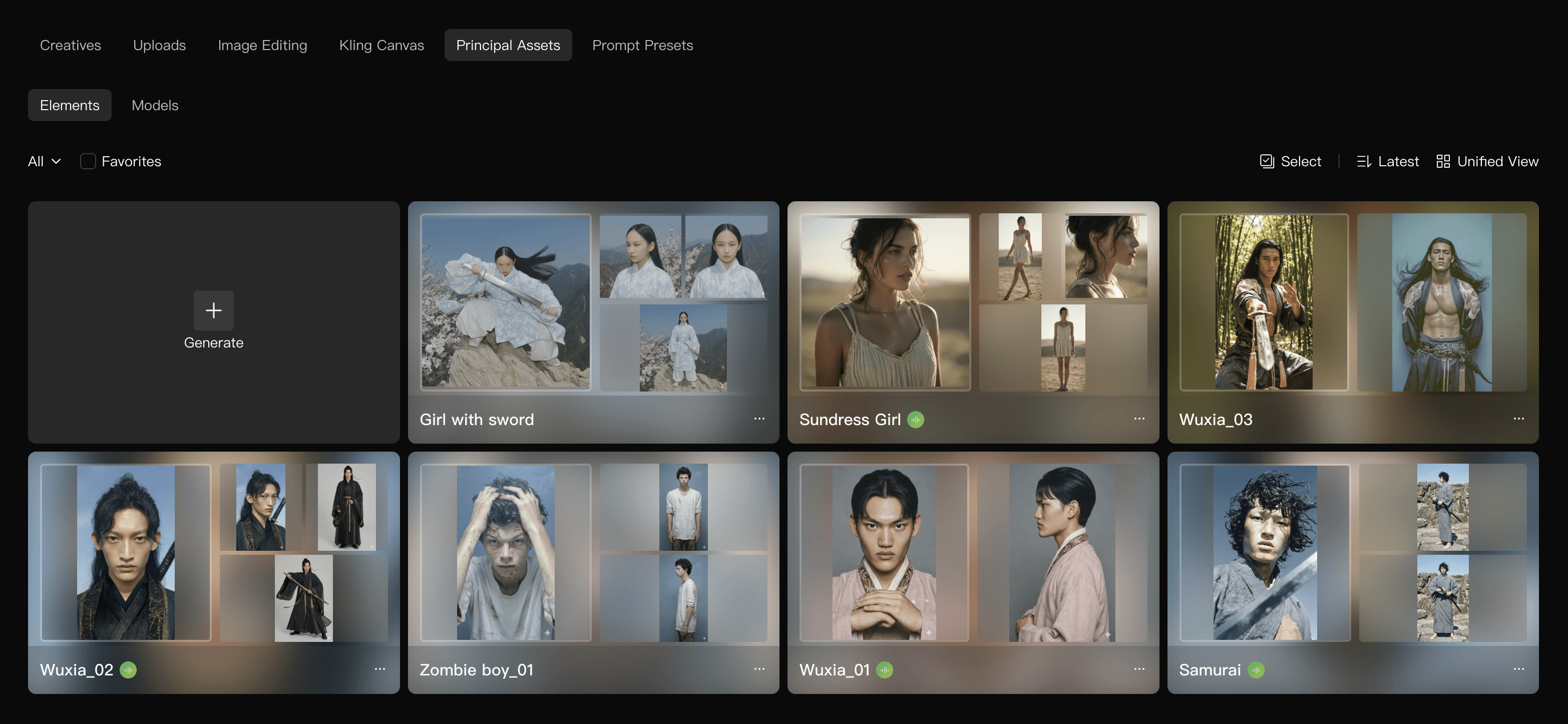
Turnaround images created in Nano Banana are added as Elements in Kling, and then “bound” when writing prompts. This allows the character to maintain consistency even beyond the first frame across different shots. It’s an effective way to preserve both visual style and character consistency in the final video.
Because of this, I rely more on building the first frame myself. I also added a character tab in Prompt Studio. It generates Nano Banana–optimized prompts to create stable turnarounds based on Midjourney-generated characters. The resulting images can be used as character elements in Kling, which helps maintain consistency even across more complex actions.
This Wasn’t My First Time Building This Idea
This idea isn’t entirely new. Recently, I built a collaborative tool using vibe coding that supports content writing and editing based on brand guidelines. It was a much more complex system than this.
Brand Hub is an AI-powered tool trained on Mycle’s brand guidelines and UX principles, designed to support content creation and editing. It was built using Claude through a vibe coding approach. It also includes a feature that generates Midjourney prompts automatically transformed into Mycle’s photography style from simple keyword inputs.
By analyzing the brand moodboard and structuring it into a style logic, the system allows designers to produce outputs aligned with the brand direction using only minimal input. It was designed so that even designers unfamiliar with prompt writing can use it easily, with a strong focus on maintaining consistency in the results.
While internal tools are typically developed and deployed in collaboration with engineers, this personal project was built in a much more compact way—I designed the entire flow myself, implemented it, and took it all the way through deployment.
Designing a Tool Around How I Actually Work
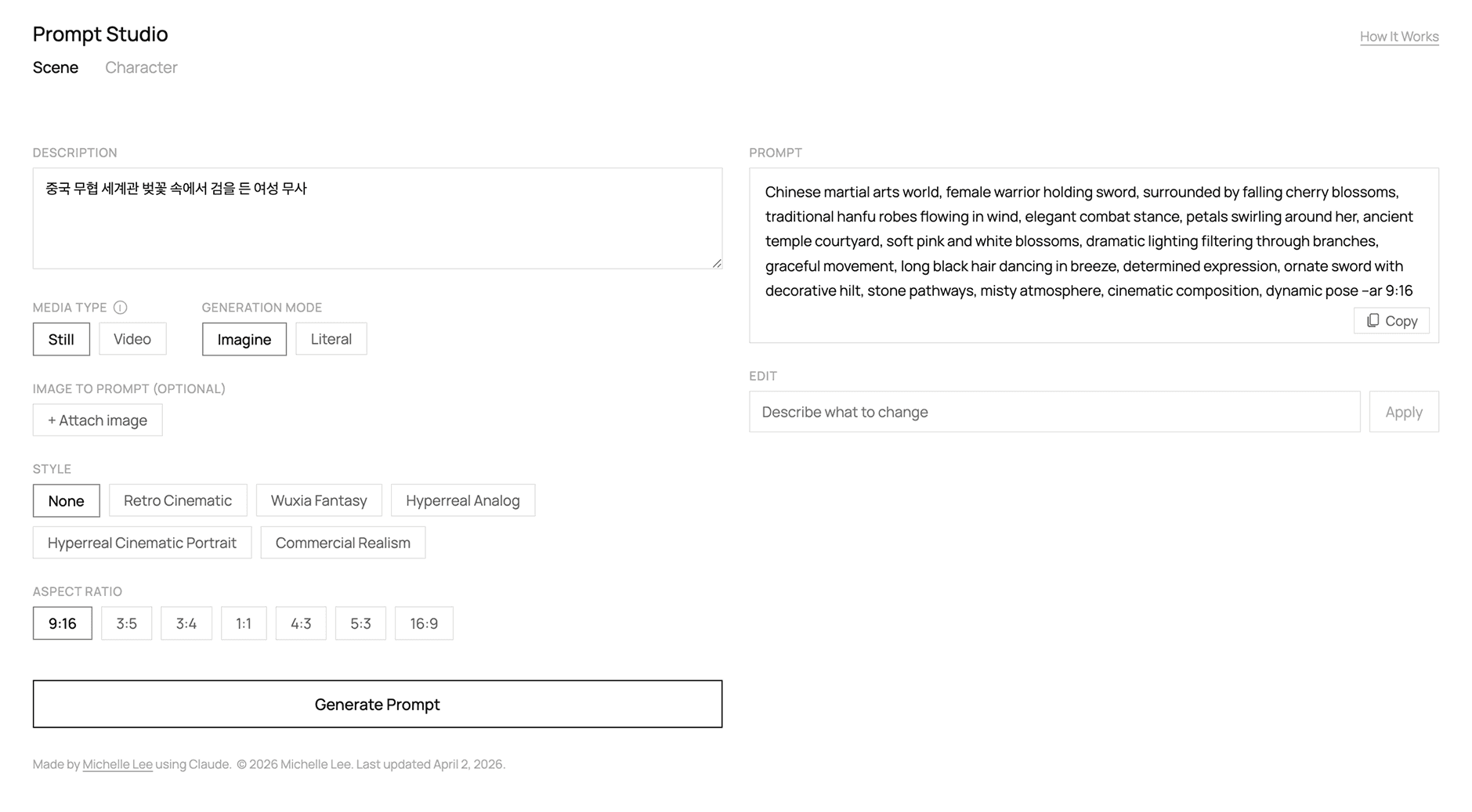
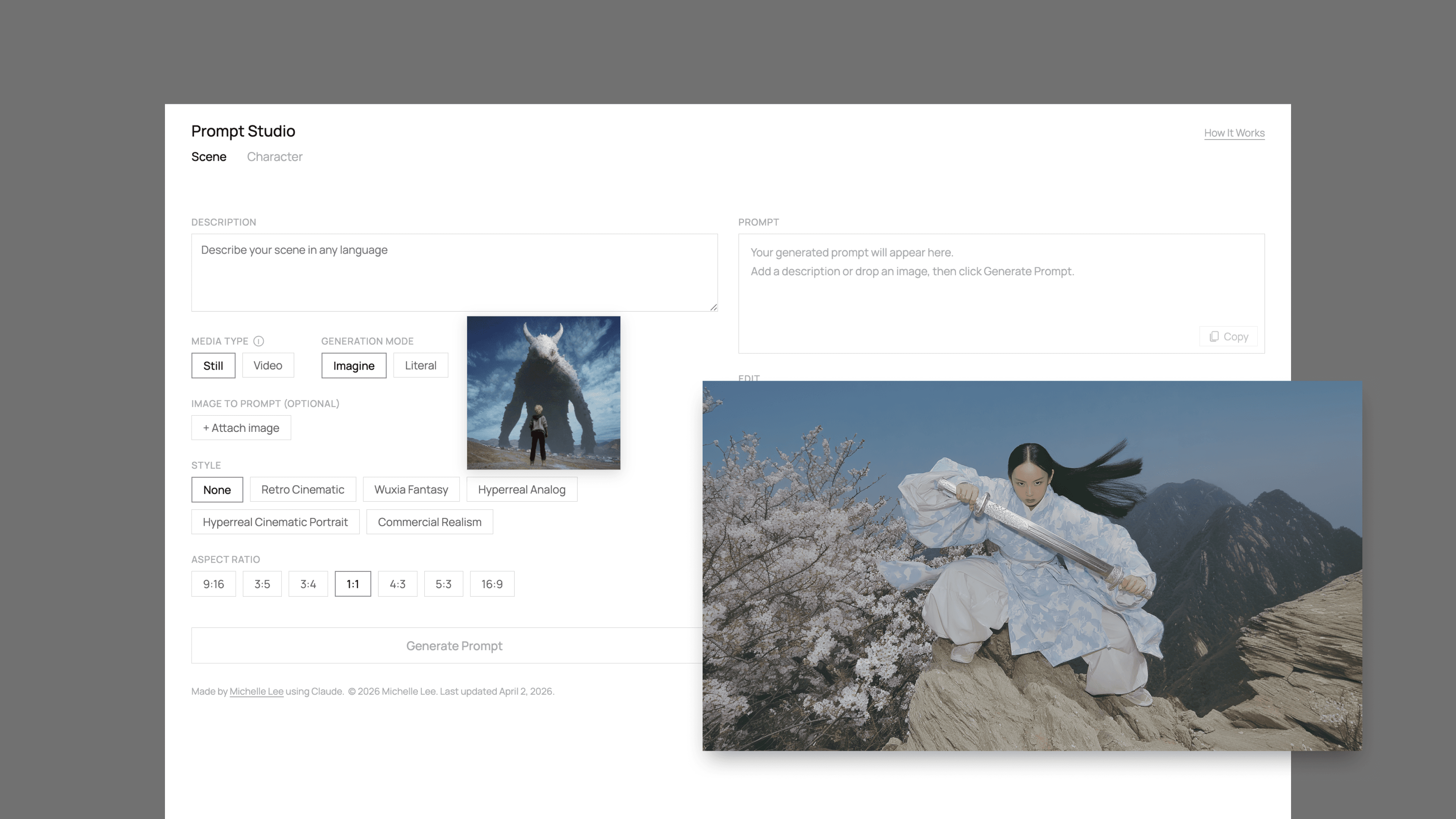
The tool is called Prompt Studio. I built it to support my existing workflow instead of replacing it.
For image prompting, it converts scene descriptions into Midjourney-optimized prompts. It can also analyze uploaded images and generate prompts from them. Style presets such as Retro Cinematic, Wuxia Fantasy, and Hyperreal Analog are included, and aspect ratio options automatically attach the correct --ar parameter.
Video prompting is based on a first frame image and generates motion prompts from it. Options such as Slow Motion, Handheld Shake, and Single Shot Only can be applied, and there are two modes: Imagine and Literal. Imagine expands on parts the user did not specify, adding more cinematic detail. Literal stays close to the input and focuses only on prompt optimization without adding interpretation.
The presets are based on my own moodboards and prompt combinations. I used them repeatedly in my work, so I turned them into reusable components and made them available to others.
Shipping It So Others Can Actually Use It
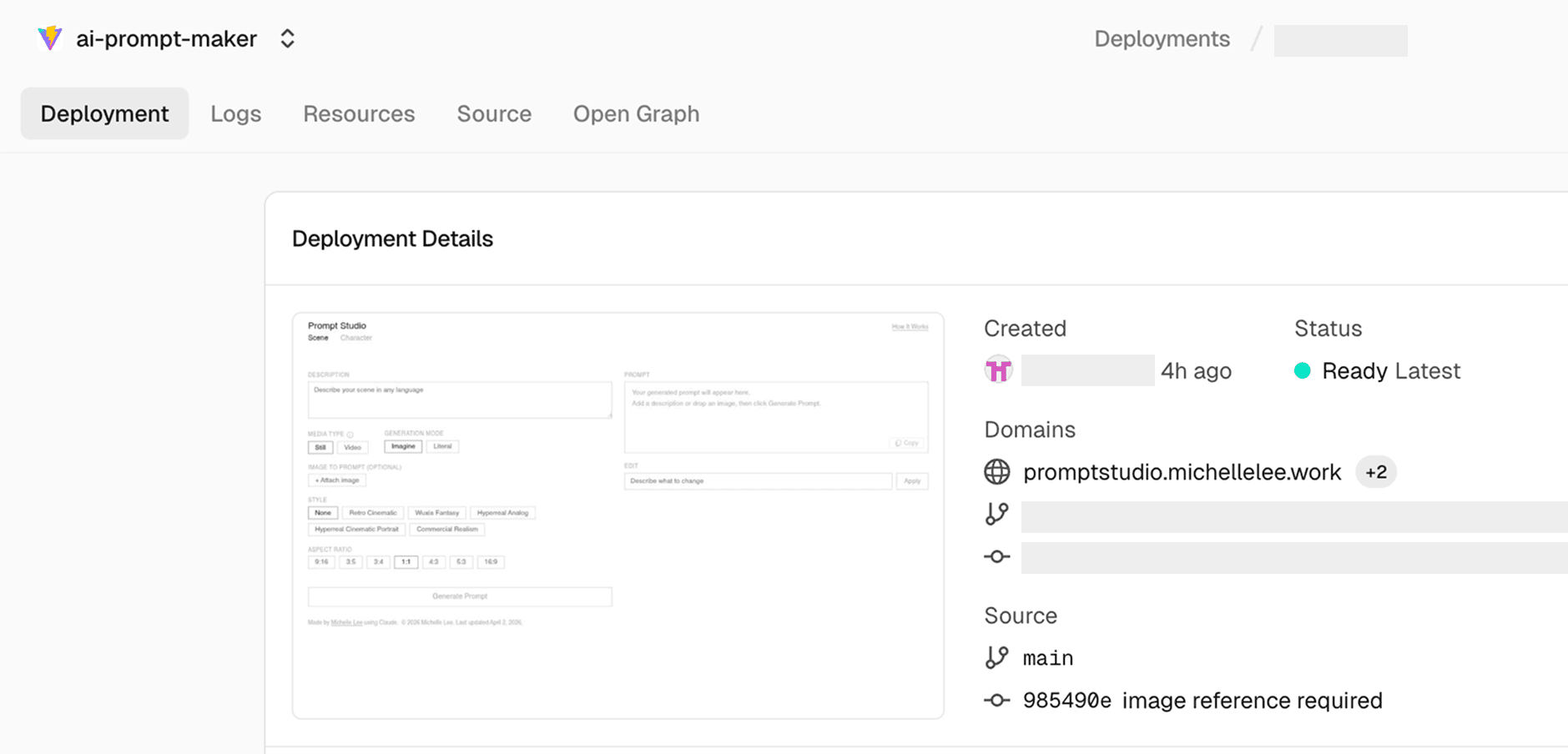
I wrote the code with Claude. The setup is a React + Vite frontend with a Vercel Edge Function acting as an API proxy, so API keys are handled server-side.
The goal of deployment was not learning infrastructure. If that were the case, a local setup would have been enough. I wanted other designers to use it without setup or friction.
I pushed the project to GitHub, connected it to Vercel, and set up a custom domain. The process included git init, git add, git commit, and git push, followed by environment variable configuration and DNS setup through the domain provider.
The Anthropic API key is stored in Vercel Environment Variables and accessed through process.env, so it stays on the server and is never exposed to the client.
Now, updating the code and pushing changes triggers automatic redeployment. The system runs as a shared tool, not just something I use locally.

The biggest change is the reduction in repetitive work and the time spent thinking about prompts. I can describe a scene, generate a prompt, and apply parameters quickly. The workflow stays the same, but the efficiency improves.
The style presets are based on how I actually work, so the output stays consistent with my taste. I released Prompt Studio so other designers can spend less time writing prompts and more time focusing on their ideas.
What feels meaningful is not just that I built a tool, but that I turned it into something others can actually use, from planning to deployment. I had been curious about what it would feel like to ship an app through vibe coding, and this became a way to try it end to end.
Building something small and practical, based on a real need from my own workflow, made the process feel grounded. It also gave me confidence to move forward with other ideas I’ve been holding onto.