
Mar 15, 2026
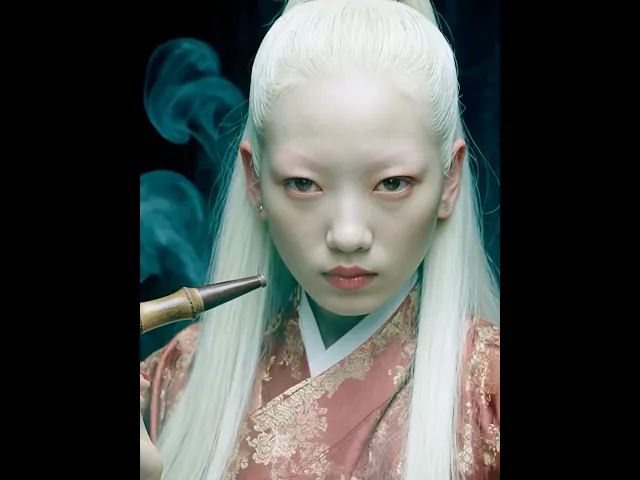
I like action films with creatures in them, and lately I’ve been deeply into wuxia webtoons. Naturally that interest started bleeding into my experiments with AI video. I began making short teaser-style storytelling clips and posting them to a new Instagram account.
Because this is mostly something I do for fun, I decided to stay consistent with a mood I personally enjoy: vintage fantasy. Over time the account started to feel like a small world with its own tone and atmosphere.
While working on these clips, I realized that two things matter most: maintaining a consistent visual mood, and making sure the same characters can appear repeatedly. This post is a short breakdown of how I approach both.
Turning a Moodboard into a Style Parameter
The first step is defining a style that stays consistent across images. I experimented in Midjourney until I found images that matched the exact feeling I wanted. When I saw images that perfectly captured that mood, I saved them and uploaded them into a Midjourney moodboard.
I then use that moodboard as a parameter. By including it in prompts, newly generated images stay within the same visual language. Over time it becomes much easier to generate scenes that feel like they belong to the same film.
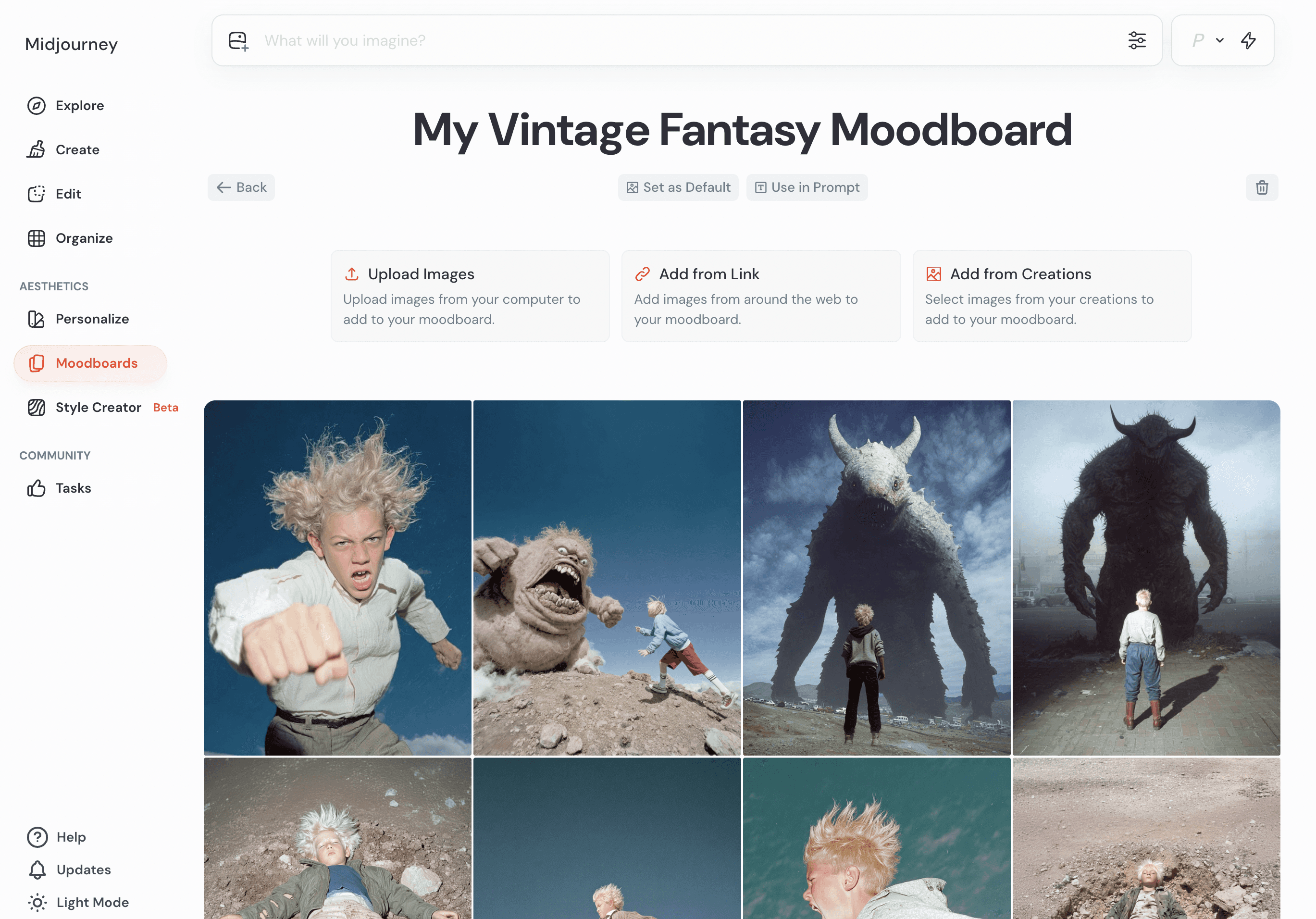
Click “Use as prompt” to obtain the moodboard’s --p value
From Image to Video
For video generation I mainly use Kling AI. I occasionally use Runway, but Kling tends to preserve the visual style of the source image more faithfully. Because of that, it became my default tool.
My process is simple: I always place a Midjourney image as the first frame. Color, texture, and visual style are important to me, so anchoring the video with that image helps keep everything consistent.

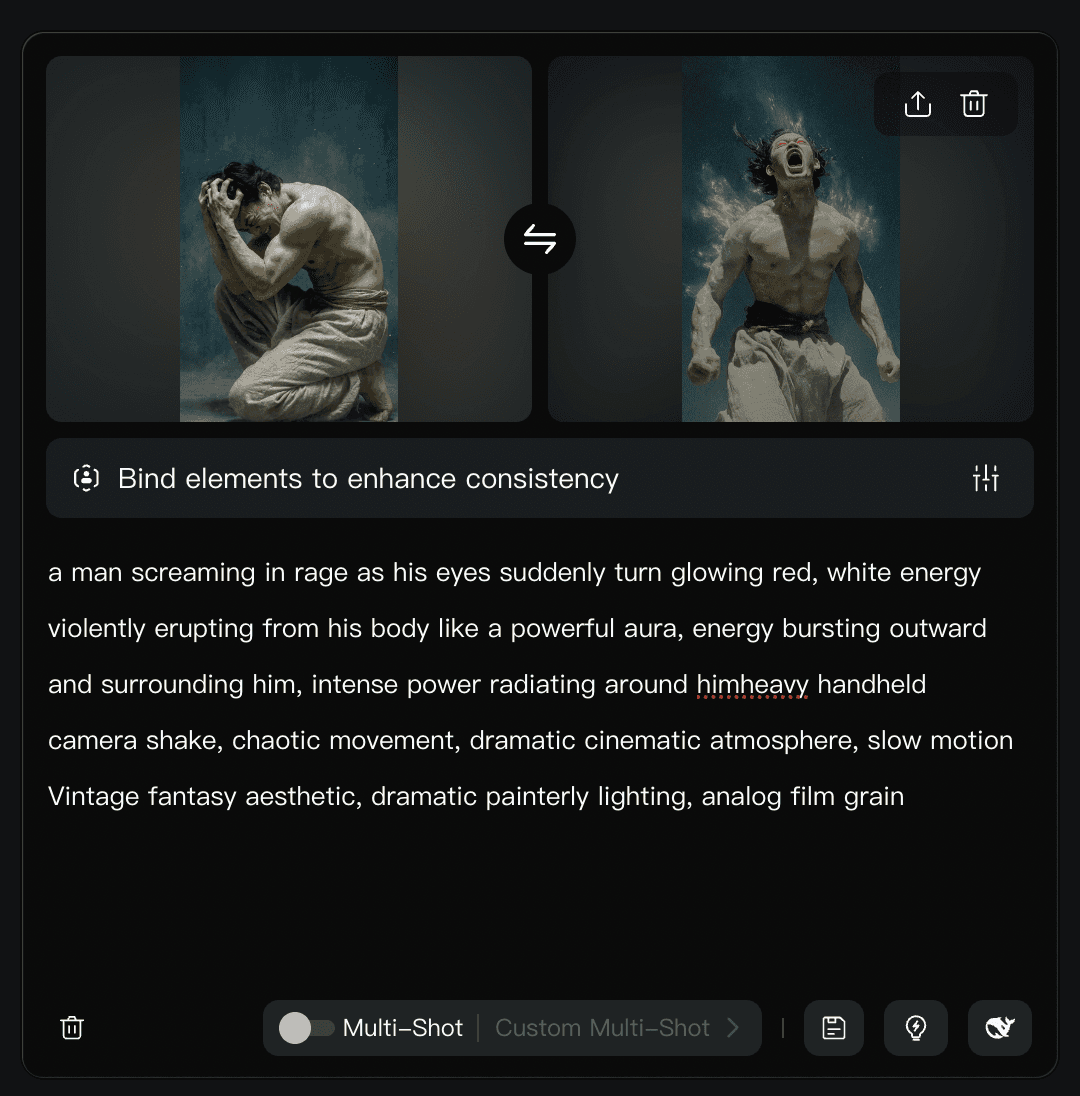
If I need several connected shots, I sometimes use multi-shot generation. When prompting alone isn’t precise enough, I generate intermediate poses using Gemini and use those images as first or end frames. This helps guide the motion more reliably.
Keeping a Character Consistent
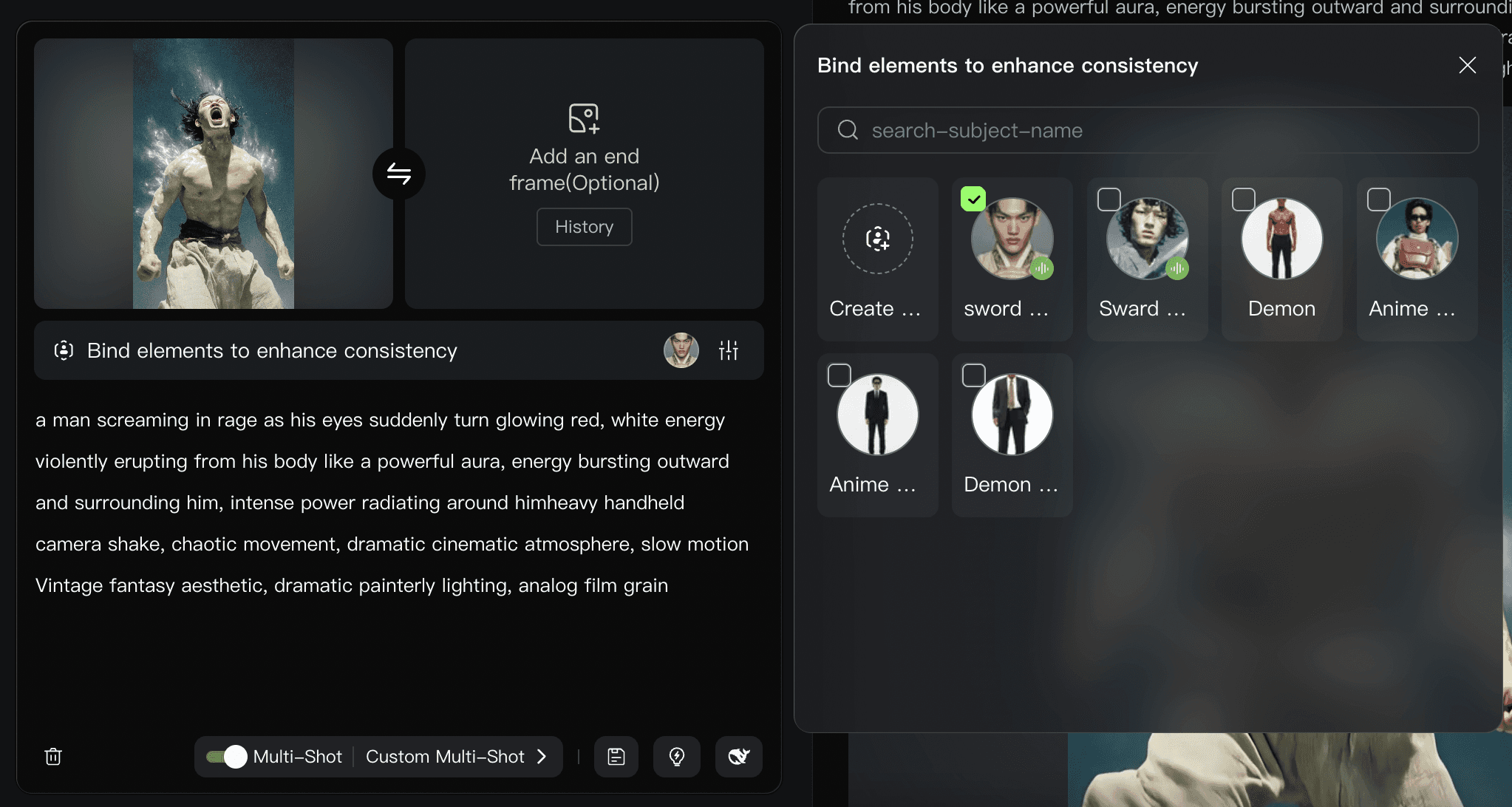
When the same heroine appears across multiple scenes, character consistency becomes important. In Kling AI you can create something called an Element, which works like a reusable character reference.
I start by generating a character image in Midjourney. Then I ask Nano Banana(Gemini) to generate additional views of that character: front view, side profile, and full-body variations.
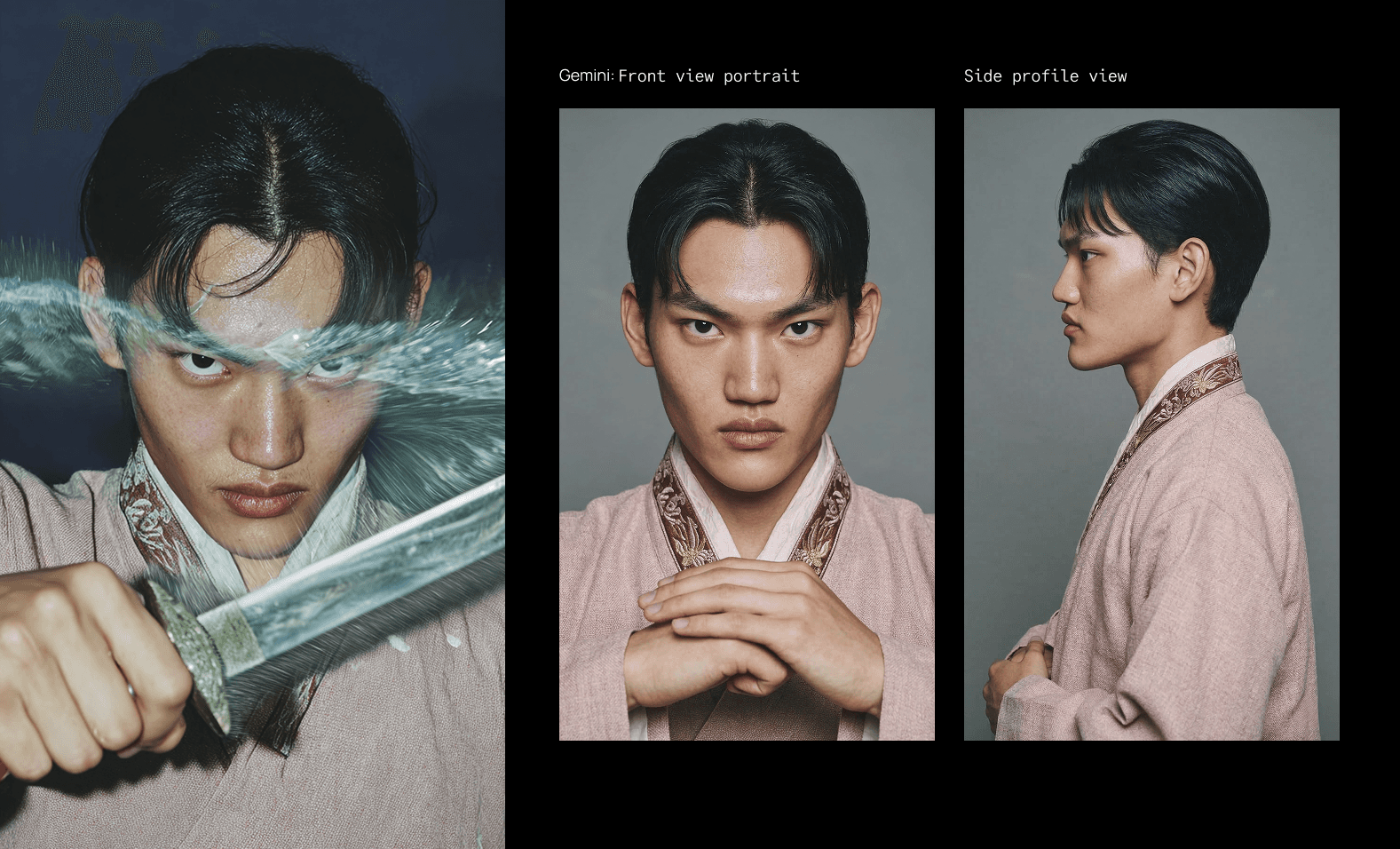
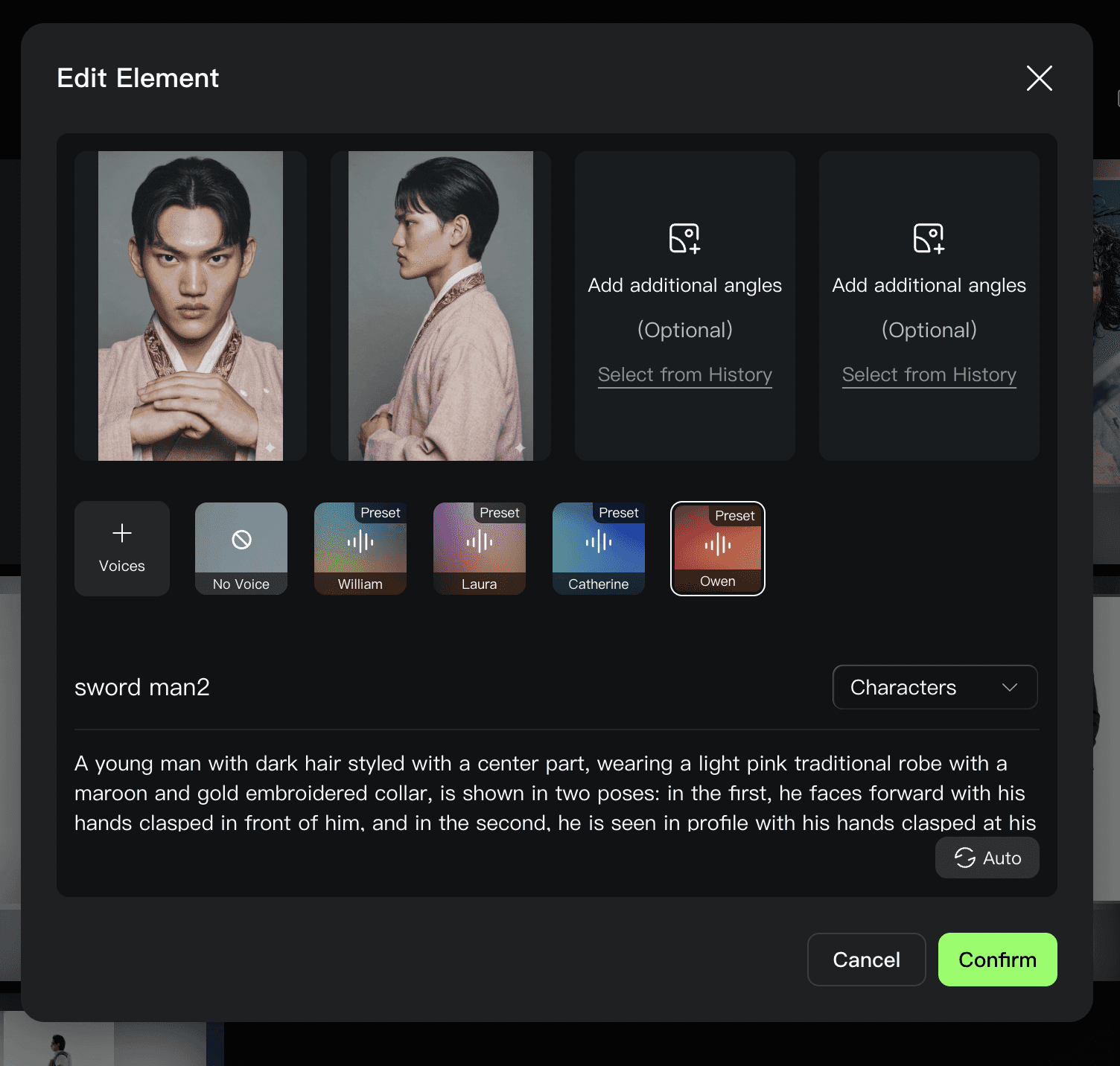
At minimum, the front face should be included in the Element. You can also add side profiles, different poses, or even voice settings if needed. Once the character is registered, you can select it when generating new videos so the same character appears again.
Using Camera Language to Make AI Video Feel Natural
Camera movement alone can make an AI video feel dramatically more natural. I often borrow camera prompts from Runway’s preset library and adapt them to my scenes.
One example is a subtle documentary-style handheld motion: small organic shakes and slight shifts in framing. It immediately removes the static AI feeling.
Other movements I frequently use include tracking the subject, locking the camera in a fixed frame, or sweeping around the main character in a circular motion. These small cinematic cues make a big difference.
Organic shake prompt:
The camera has a subtle, organic handheld shake, mimicking a documentary style. There are minor, natural shifts in framing and focus, characteristic of someone holding the camera.
Camera tracking prompt:
The camera moves with organic yet steady motion to track the subject.
Minimal Camera prompt:
Locked-off camera. Motion occurs only within the fixed perspective of the motionless camera. Start and end on the exact same framing.
Using GPT to Speed Up Prompt Writing
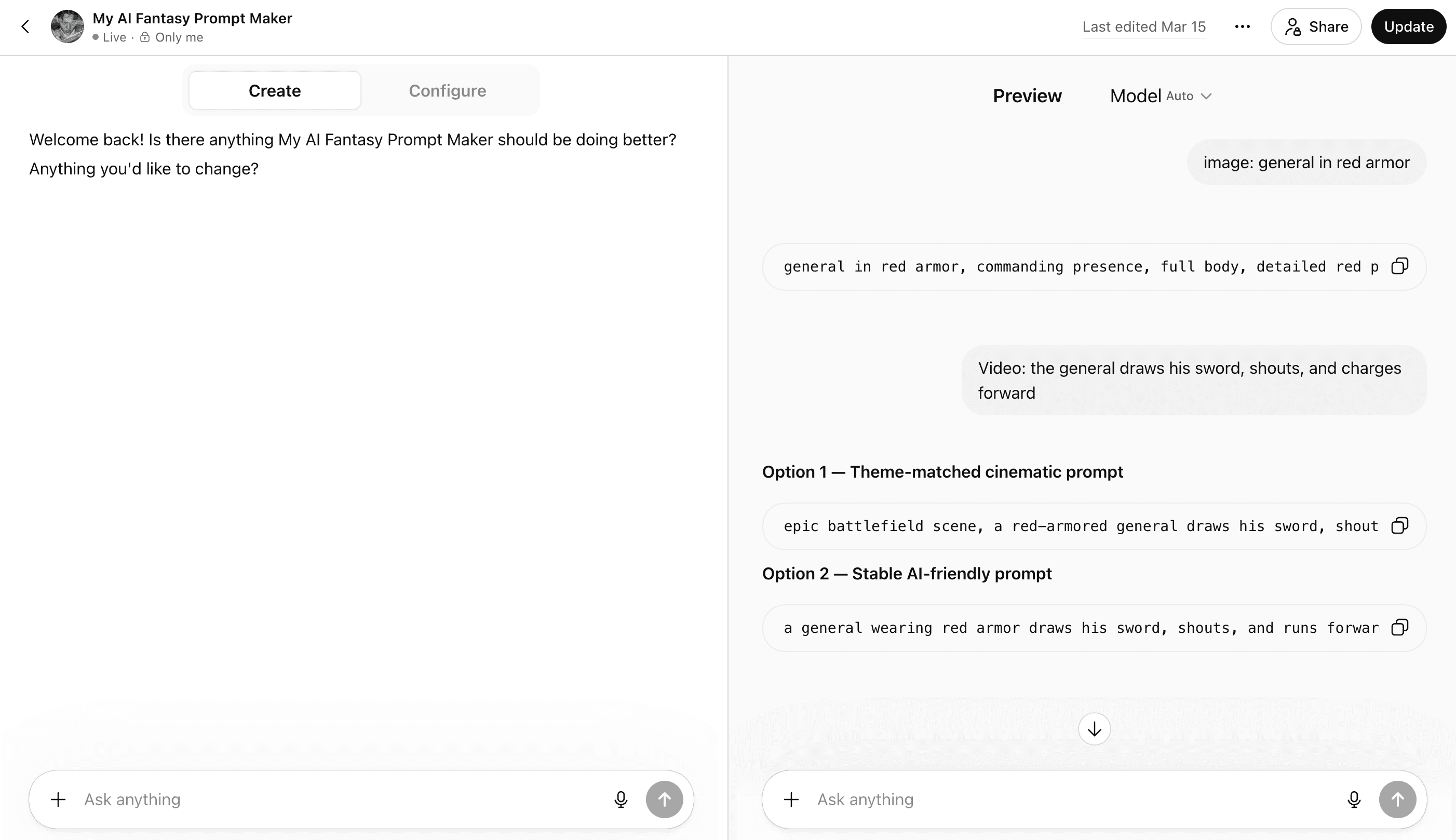
I also rely heavily on GPT for writing prompts. Personally, I still find GPT better than Gemini at understanding context when generating prompts or writing.
Because I repeat similar workflows often, I built my own custom GPT. It converts rough scene descriptions into Midjourney prompts, removes style descriptions from reference images, and automatically appends my parameters.
When the task is video instead of images, the GPT outputs shorter prompts that video models tend to understand more reliably.
In a way, the system is built around a simple idea: even if I describe something messily, the AI should still understand it perfectly. Once I set up those rules, the time spent worrying about prompts dropped dramatically and the production speed increased. That shift made the whole process feel less technical and more like storytelling.