
Feb 17, 2026
How effectively can AI implement illustrative animation?
Compared to transforming live-action footage into video, AI-driven motion graphics based on illustrations are inherently more difficult to achieve. The "motion graphics" discussed here go beyond simple character walks or rotations; it refers to applying dynamic movement to complex, hand-drawn styles.
Data That Defies Generalization
AI generates results by predicting patterns learned from vast amounts of real-world video and imagery. When working with live-action data—where body proportions, physical laws, and inertia act consistently—predicting a trajectory is relatively straightforward. However, illustrations carry a creator's unique style. Proportions are often exaggerated, joint structures simplified, and laws of physics intentionally ignored. From an AI's perspective, predicting the trajectory of such "unrealistic forms" is incredibly challenging.
The Challenge of Outlines
n illustration, the outline is the most critical element. Since compositions are often flatter than 3D, any breakdown in the outline is glaringly obvious. Even a slight shift in line weight or a minor displacement of facial features between frames is perceived by the viewer as "jittering" or image distortion. Maintaining frame-by-frame consistency of outlines is a monumental task. While a human-drawn animation ensures every frame is an intentional scene, AI must estimate and fill in the "in-between" values.
Based on this, the core challenges for AI in illustrative animation can be summarized into two points:
Does the outline hold firm during transition phases?
Can it express fundamental animation principles like squash and stretch, anticipation, and timing?

Putting AI to the Test
To test for outline distortion, I personally drew an illustration with a distinct stroke (border) style. I set two different images as the start and end frames, attempting a "transformation" motion. Using a constant visual anchor—headphones—I aimed for a smooth transition where no new styles or artifacts would glitch into the sequence. All assets were produced using Kling AI.

Character Transformation Prompt
/Action/
Create a seamless looping transformation animation between two provided keyframe images. The character smoothly and instantly morphs back and forth between a peaceful Buddha-like figure in @image1 and a devil-like figure in @image2.
/Transformation Details/
The transformation should feel organic and fluid, as if both forms coexist in the same body. Facial features gradually shift: calm half-closed eyes become sharp glowing eyes, horns subtly emerge and retract, skin tone transitions naturally, and body posture changes without sudden cuts.
Clothing morphs continuously, with the orange robe transforming into loose orange pants and back again, maintaining consistent color harmony.
/Visual Anchor/
Headphones remain constant as a visual anchor throughout the transformation.
/Loop Behavior/
The animation must loop perfectly, with no visible start or end, allowing infinite repetition.
/Scene & Motion Constraints/
Background remains static and minimal. No camera movement. No flickering. No distortion. No extra elements.
Motion timing: slow-in, fast-through, slow-out, meditative rhythm.
Duration: 3–4 seconds.
When inspecting the frames individually, there are definitely cuts where the outlines blur. Nevertheless, the "bouncy" upward motion and the stability of the headphones as a visual anchor were implemented quite expressively according to the prompt. Of course, reaching this result required dozens of prompt iterations and trials.
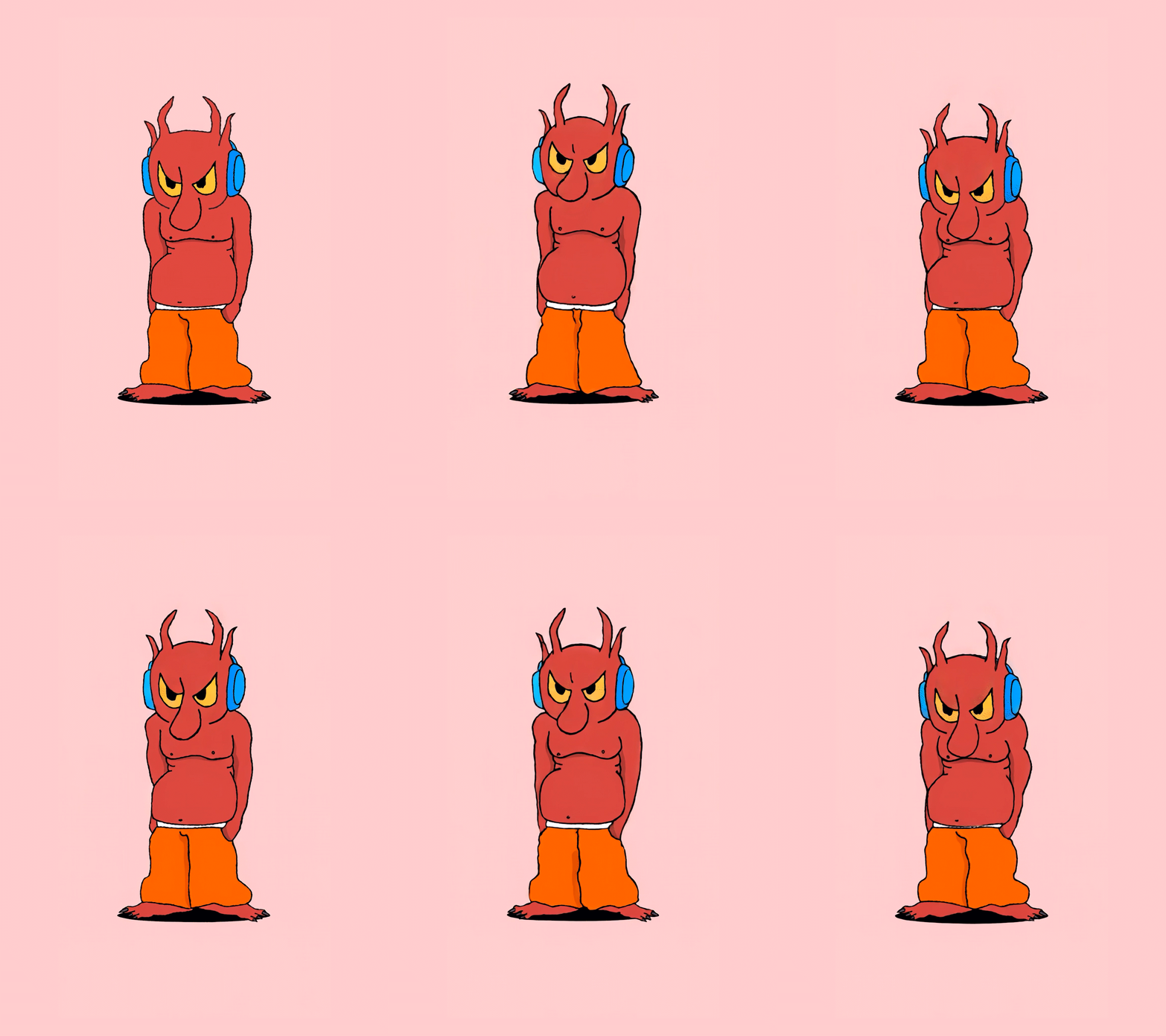
How about something a bit simpler? Let’s get into the rhythm.Character rhythmic action prompt

Character rhythmic action prompt
The character bobs its head rhythmically
When animating hand-drawn style illustrations, a characteristic "wiggle" (a slight, organic trembling of the lines) is often added to give the piece a sense of life. Interestingly, the AI implemented this wiggle on its own, even though I hadn't explicitly included it in the prompt. While it wasn't an intended command, it was fascinating to see the AI recognize and react to the context of a "hand-drawn style."
Implementing Motion Characteristics via Prompts
Animation styles vary—elasticity, timing, and exaggeration are all key principles. These can also be realized through precise prompting. Let's compare "floating" motion versus "bouncing" motion.


Buoyant & Soft Motion (Airy)
/Looping Structure/
Create a seamless frame-to-frame looping animation using the provided images. The animation transitions smoothly from @Image1 to @Image2 and back to @Image1, forming a perfect infinite loop with no visible start or end.
/Object Motion Behavior/
Three vinyl records gently bounce and float above two open hands, maintaining consistent spacing and alignment throughout the motion. The movement is soft, rhythmic, and buoyant, as if lightly suspended in air.
/Camera & Environment Constraints/
Transitions between frames are organic and fluid, with no sudden jumps, cuts, or distortion.Camera remains completely static at all times.Background stays unchanged. No zoom, no pan, no shake.The animation must feel continuous, smooth, and naturally loopable.
Elastic & Bouncy Motion
/Looping Structure/
Create a seamless frame-to-frame looping animation using the provided images. The animation transitions smoothly from @Image1 to @Image2 and back to @Image1, forming a perfect infinite loop with no visible start or end.
/Object Motion Behavior/
Three vinyl records bounce and float above two open hands, maintaining consistent spacing and alignment throughout the motion. The three vinyl records move with a bouncier, elastic rhythm, featuring slightly exaggerated easing at the top and bottom of each bounce.
/Camera & Environment Constraints/
Transitions between frames are organic and fluid, with no sudden jumps, cuts, or distortion.Camera remains completely static at all times.Background stays unchanged. No zoom, no pan, no shake.The animation must feel continuous, smooth, and naturally loopable.
Animating Specific Objects
In professional practice, applying movement to simple objects is often more common than animating complex scenes. Adding motion to 3D icons is an area where AI is already being utilized effectively.
Through various experiments, I've concluded that not just 3D icons, but also flat 2D illustrations with clear outlines, are now at a level where they can be sufficiently integrated into professional workflows using simple animations.

Paper Airplane: A slight wind wobble while keeping the object centered.
Paper airplane in flight, slight wind wobble, camera tracks, keeping it centered, natural, fluid motion


iPod Floating: A seamless, gentle Y-axis loop.
iPod floating gently up and down in a seamless looping
iPod Rotation: A full spin around the Y-axis while maintaining the centered position.
iPod spins fully around the Y-axis, the iPod remains centered. The back of the iPod is blank and smooth.
Closing Thoughts
Since AI first entered the mainstream, I have been more interested in "frame-to-frame motion bridges" for illustrations than in general video generation. At the same time, I was acutely aware of the limitations. Only a few years ago, the results were lackluster, and I believed the illustration sector would always hit a ceiling. However, the technological leap over the past few years is palpable.
While "frame-jumping" still occurs, the accuracy in implementing animation principles has improved significantly. It is true that we still rely on a bit more "serendipity" compared to live-action results, but I feel we have reached a stage where AI can provide practical, tangible help. It is now a viable tool to start applying to professional projects, beginning with object-level animations and scaling up.